Ability to Configure the Housekeeping Note of the Day
Stay is enhanced to allow users to configure a Note of the Day, to communicate any information or note to the housekeeping staff on duty. Users can setup the note of the day from the following screens:
-
Housekeeping Home Page
-
Events and Announcements screen
The configured note of the day will be displayed in the housekeeping assignment sheets.
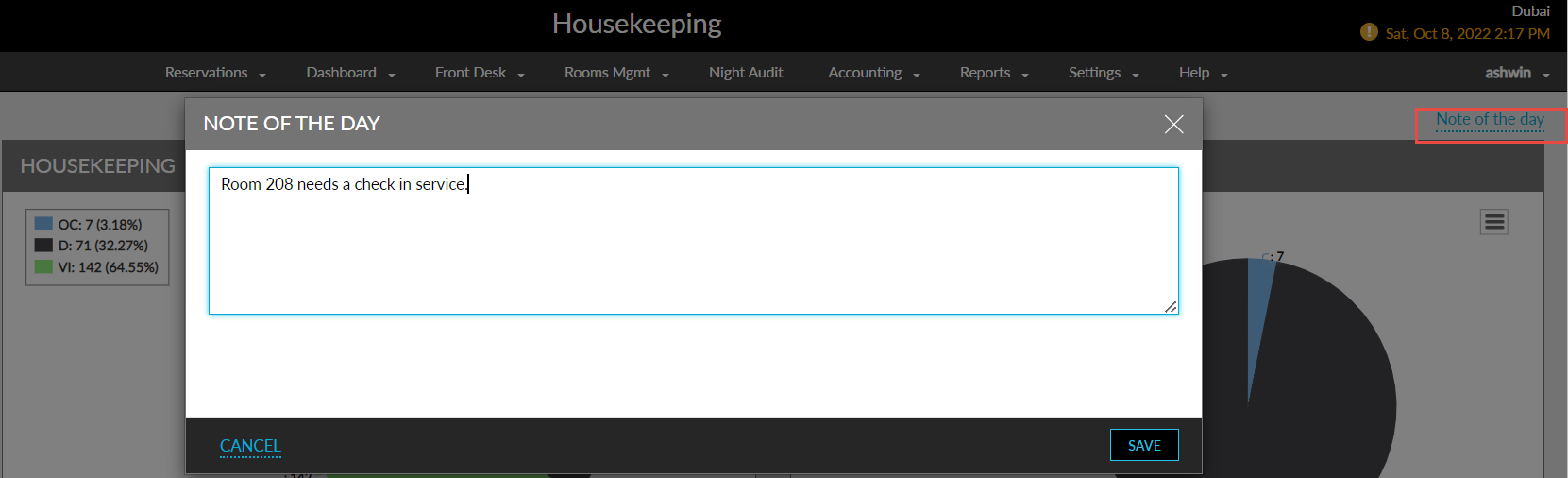
To support this feature, a new hyperlink Note of the Day, is added to the Housekeeping Home Page above the house status chart. When users click on the hyperlink, a new screen Note of the Day will be displayed, where the note can be configured and saved.
A new tab Note of the Day is added in the Events And Announcements screen, where the users can configure the note for the housekeeping staff.
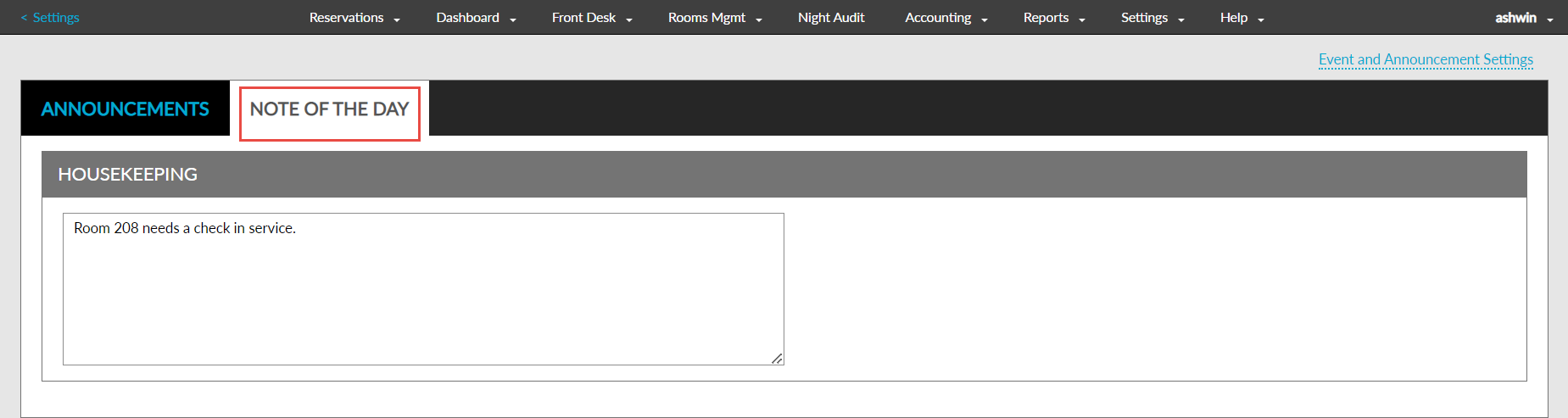
The notes configured in both the screens will be the same. A user can configure a note from the Housekeeping home page and choose to edit the note from the Events and Announcements screen.
The note of the day will also be displayed when the housekeeping assignment sheet is printed for the individual staff or for the entire property. The customers using the customized housekeeping template need to contact Agilysys to use this feature.